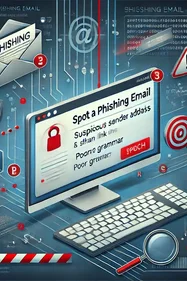
Phishing attacks use deceptive emails, messages, and websites to trick people into divulging sensitive information. Effective phishing detection is critical, and it works in layers: technical controls filter what they can, and whatever survives reaches a person.
Key takeaways
- Email filtering, URL scanning, and browser extensions each catch known threats and miss different things, so the order you deploy them in matters.
- MFA is mandatory but not sufficient: a stolen session cookie bypasses the second factor entirely.
- What survives your filters is a human-layer problem, and it is measurable through click rate, report rate, and mean time to report.
Phishing attacks are a top concern in cybersecurity, targeting individuals and organizations alike. Here, we explore advanced tools and techniques that can bolster your phishing detection capabilities. This article covers both layers of detection, because the human layer is where the measurable residual risk sits.
Advanced Phishing Detection Tools
There are numerous tools available to help detect phishing attempts before they compromise your data. Here are some of the most effective solutions:
1. Email Filtering Solutions
Email filtering tools are the first line of defense against phishing attacks. These tools scan incoming emails for known phishing markers, such as suspicious sender addresses, unusual content, and harmful attachments.
How They Work: Email filters use a combination of algorithms, blacklists, and machine learning to identify and block phishing emails before they reach the user’s inbox. They flag suspicious messages and may quarantine them for further review.
Popular Tools: Microsoft Defender for Office 365, Barracuda Essentials and other email security gateways are widely used solutions that include phishing detection capabilities.
2. Web Filtering and URL Scanners
Phishing attacks often involve malicious links leading to fake websites. Web filtering tools and URL scanners analyze web traffic, blocking access to known phishing sites and warning users of potentially dangerous URLs.
How They Work: Web filters compare URLs against a database of known phishing websites and use machine learning to analyze the structure of new URLs for phishing characteristics. URL scanning tools, like URLScan.io and VirusTotal, allow users to inspect suspicious links without visiting them directly.
Best Practice: Always scan unfamiliar URLs using these tools before clicking, especially if they come from unexpected sources.
3. Anti-Phishing Browser Extensions
Many web browsers support extensions designed to detect and block phishing websites. These extensions can alert users when they attempt to visit a known phishing site or if a website's URL and content resemble a known legitimate site but have subtle differences.
- Examples: Popular extensions include Avast Online Security, Bitdefender TrafficLight, and Norton Safe Web. They analyze web pages in real-time and warn users of potential phishing risks.
Effective Phishing Detection Techniques
In addition to using tools, adopting best practices and techniques is vital for detecting phishing attempts:
1. User Education and Awareness
One of the most effective ways to detect phishing is through user awareness. Training employees to recognize common phishing tactics, such as fake login pages, unsolicited attachments, and urgent requests for personal information, can significantly reduce the risk of falling victim.
- Next-Generation Training: At Arsen, we offer comprehensive awareness programs that use simulated phishing attacks to train employees in real-world scenarios, enhancing their detection skills.
2. Multi-Factor Authentication (MFA)
While not a direct phishing detection tool, enabling multi-factor authentication (MFA) adds an additional security layer. Even if an attacker obtains login credentials through phishing, MFA requires a second verification step (e.g., a code sent to a phone) to access accounts.
- How It Helps: MFA reduces the likelihood of successful phishing attacks by ensuring that stolen credentials alone are not enough to compromise an account.
One caveat worth stating plainly: MFA is enforced at login. An attacker who steals a live session cookie through an adversary-in-the-middle phishing kit is already authenticated, and the second factor is never requested. MFA raises the cost of an attack, it does not close the channel.
3. Email and URL Inspection Techniques
Train users to inspect emails and URLs carefully:
Hover Over Links: Encourage employees to hover over links in emails to reveal the actual destination URL. If it looks unfamiliar or mismatched with the supposed sender, it could be a phishing attempt.
Check Sender Addresses: Teach users to scrutinize the sender's email address for signs of spoofing, such as slight misspellings or unusual domains.
What should you deploy, and in what order?
| Layer | What it catches | What it misses | Priority |
|---|---|---|---|
| Email filtering | Known signatures, bad reputation, malicious attachments | Novel lures, compromised legitimate senders, AI-written copy with no signature | Deploy first |
| URL and web filtering | Known phishing domains | Domains registered hours ago, redirector chains, QR codes that never touch the network | Deploy second |
| Browser extensions | Known bad pages at click time | Anything off the managed browser, including personal mobile | Useful, not load-bearing |
| MFA | Credential reuse after theft | Session cookie replay, real-time relay kits, MFA fatigue | Mandatory, not sufficient |
| Human detection | Everything the layers above let through | Nothing, if it is trained and measured | The residual layer |
What phishing detection cannot catch
Every control above filters against something known: a signature, a reputation, a domain on a list. That model degrades as the lures stop being reused.
Three channels now bypass the detection stack entirely. Voice calls do not pass through an email gateway, and Google attributes 23% of cloud compromises to them. QR codes move the payload onto a personal phone, outside every managed control. ClickFix lures persuade the user to paste a command themselves, which Microsoft reports as the leading initial access technique at 47%, ahead of phishing at 35%.
In each case the detection question stops being "did the filter catch it" and becomes "did the person notice". That is a trainable and measurable property, not a purchasing decision.
How do you measure detection at the human layer?
Security teams asked to evidence this to a board or an auditor need numbers rather than completion rates. Three metrics do the work:
Click rate. The share of employees who act on a simulated lure. Your baseline exposure.
Report rate. The share who report it. The one metric that actually shortens an incident, and the one most programs never track.
Mean time to report. How long between delivery and the first report. This is the number that determines whether your SOC contains a real campaign or reads about it afterward.
Run the same lure quarterly across the functions most often targeted, and these three become a trend line. That trend is what satisfies the awareness-training obligations in DORA, NIS2, PCI DSS 4.0 and ISO 27001, none of which are met by a completion certificate.
Conclusion
Effective phishing detection requires a combination of advanced tools, techniques, and user awareness. Email filters, web filtering, and browser extensions play a crucial role in identifying and blocking phishing attempts, while training employees in phishing recognition techniques strengthens your organization's defense.
At Arsen, we provide next-generation cybersecurity awareness training tailored to your organization's needs, helping employees become your first line of defense against phishing attacks. Equip your team with the skills and tools to secure your communications and data.
Frequently Asked Questions
-
There is no single answer, because the layers catch different things. A secure email gateway handles volume, URL filtering handles click time, and neither covers voice, QR or ClickFix lures. Most organizations need a gateway plus a measured human layer rather than a better gateway.
-
No. Detection works against known indicators, and a lure generated for one campaign has none. The realistic objective is to reduce volume with filtering and to shorten the time between a surviving lure landing and somebody reporting it.
-
Through the recipient. Check the sender domain rather than the display name, hover links before clicking, and treat urgency around payments or credentials as the signal itself. Employees who have experienced a realistic simulation apply these reliably; employees who have only read about them do not.
-
Untrained populations commonly sit in the 15 to 30% range on a credible lure. The more useful benchmark is report rate and how fast it is rising, because reporting is what shortens an incident. Measure both on the same simulation.
Find out what your filters are letting through
Detection tools report what they blocked. They cannot tell you what your people did with the rest. Run a realistic simulation and get your click rate, report rate and time to report as a baseline. Explore phishing simulation, or test your team on voice and QR lures too.