Google Safe Browsing (GSB) is a widely adopted security feature that protects billions of users from malicious websites and phishing threats. While essential for preventing real cyberattacks, it presents unique challenges for organizations conducting internal phishing simulations. Arsen presents a 3-part series on navigating Google Safe Browsing to maintain effective phishing simulations. Download our dedicated white paper to learn more.
Overview
Google Safe Browsing covers over a billions Chrome users with Enhanced Protection and protects over 5 billions devices. As Safe Browsing evolves, especially with the introduction of Enhanced Safe Browsing, organizations must adapt their simulation strategies. This series explores how GSB works, its impact on phishing awareness programs, and proven methods for designing effective simulations that avoid unnecessary detection.
Disclaimer: The information in this series is designed for trained cybersecurity professionals conducting authorized phishing awareness and testing programs. Unauthorized or malicious use of these techniques could lead to legal consequences and ethical violations. Engaging in such activity may compromise systems or sensitive data. We strongly recommend using this content responsibly and within legal boundaries.
How to Stay Invisible
To ensure phishing simulations remain undetected by automated security crawlers, security teams must implement multi-layered anti-crawling strategies against bad and good bots.
| 🏳️ The Whitelisting Strategy | The (not so white)listing Strategy |
|---|---|
| Requires device/browser changes | Block scanners from indexing |
| Chrome policies for managed setups | Redirect bots to safe page |
| Manual config for individuals | Allow humans full access |
| Hard to scale enterprise-wide | Use HTTP redirectors |
| BYOD makes it nearly impractical | Add CAPTCHA and bot filters |
Redirect, Reroute, Repeat
HTTP redirectors filter traffic by detecting security scanners and redirecting them to a neutral page. This prevents automated systems (such as Google Safe Browsing crawlers) from reaching the phishing simulation page while still allowing targeted users to access it.
Technique 1: Geographic and IP-Based Filtering
- Restrict access to corporate IP ranges (internal employees only).
- Maintain an allowlist of trusted IPs while redirecting external or unknown sources to a non-suspicious landing page.
- Use blacklists for known security crawlers (Googlebot, enterprise security vendors,
etc.). We recommend
AbuseIPDBorIPQualityScore. - Leverage autonomous systems numbers to find node of servers that host security crawlers and block them.
- Use reverse DNS lookups to check the domain name behind the IP
- Use IP intelligence services to enrich incoming requests. We recommend IPInfo.
Technique 2: User-Agent & Header Analysis
Leverage fingerprinting techniques to identify Google’s crawlers through distinctive User-Agent strings and detect non-browser requests, such as those lacking JavaScript execution, for early blocking and targeted redirection.
- Detect and block known crawler User-Agent signatures
- Identify non-human traffic through JavaScript execution checks
Technique 3: Time-Based URL Expiry
Implement time-bound, tokenized phishing URLs to prevent long-term indexing and ensure each target receives a unique link, significantly reducing the risk of mass enumeration by automated scanners.
- Generate unique URLs such as
https://ms365.securedomain.com/abcd1234per user to prevent static link detection - Set expiration rules (e.g. 3 days or post-compromise) to limit crawler access windows
- Minimize flagging by using one-time links per target
CAPTCHA to the Rescue
While HTTP redirectors block known scanners based on IP or headers, they can miss stealth crawlers or newer scanning techniques. CAPTCHA and WAF add an essential second layer, blocking access based on behavior.
CAPTCHA stops bots by requiring human interaction, while WAFs detect suspicious patterns like non-browser traffic or rapid scanning. This ensures only real users see the phishing simulation, reducing the risk of premature flagging.
Google reCAPTCHA or Cloudflare Turnstile
Since bots struggle to solve CAPTCHAs, this filters out automated scanners before they analyze the page.CAPTCHA alone is not effective against advanced security crawlers
JavaScript-Based Human Interaction Verification
Require mouse movements, keystrokes, or clicks before revealing the phishing form. Bots do not interact like humans, so this technique prevents automated scanning.
CAPTCHA alone is not effective against advanced security crawlers
To enhance the anti-crawling strategy, we recommend combining CAPTCHA with other techniques and ensuring the CAPTCHA implementation disallow all bots (including good bots) from accessing the phishing page.
Code Obfuscation & Complex Rendering
Google Safe Browsing and automated security tools scan website code for phishing indicators. By obfuscating content and using complex rendering techniques, security crawlers struggle to analyze the page effectively.
JavaScript-based Form Rendering (delayed execution)
- Security crawlers do not wait for JavaScript execution
- By loading phishing elements only after a delay, the page remains invisible to bots. However, this slight delay might be noticed by the user, which could be a red flag.
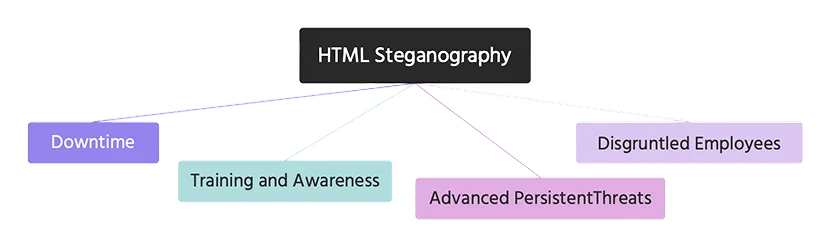
HTML & CSS Steganography (hidden input fields)
- Phishing forms can be embedded inside images using CSS tricks
- Crawlers struggle to extract data from dynamically generated elements
FAQ
-
Google Safe Browsing protects over 5 billion devices by detecting malicious and phishing sites. For security teams running authorized phishing simulations, this means their test pages can get flagged and blocked before reaching target employees.
-
The whitelisting strategy involves configuring devices and browsers (Chrome policies, etc.), while the anti-crawling strategy focuses on blocking scanners, redirecting bots to safe pages, and allowing only real humans through.
-
By restricting access to corporate IP ranges, blocking known crawler IPs using services like AbuseIPDB or IPQualityScore, and using reverse DNS lookups, teams can prevent security crawlers from ever reaching the simulation page.
-
No. CAPTCHA is a useful layer but insufficient against advanced security crawlers. It should be combined with WAF rules, JavaScript interaction checks, and IP filtering for full coverage.
-
By delaying JavaScript execution and hiding form elements via CSS tricks, crawlers struggle to identify phishing indicators in the page's source code.
Learn how to navigate Google Safe Browsing for internal phishing simulations with Arsen’s dedicated white paper.
What you'll learn in this whitepaper:
- How Google Safe Browsing works
- How to Stay Invisible to Google's Bots
- How to Recover from a Domain Flagging
Learn how to navigate Google Safe Browsing for internal phishing simulations with Arsen's latest white paper.
About Arsen
Arsen is an advanced phishing simulation and human risk management platform that helps organizations train employees under real-world attack conditions. Designed by security experts, Arsen enables enterprises to safely simulate phishing, smishing, and AI-driven vishing campaigns across hundreds of thousands of employees worldwide, and to deliver adaptive Security Awareness Training (SAT) that strengthens human resilience against evolving threats.