Email is no longer the only way in. A campaign analyzed by SpiderLabs turns Microsoft Teams and Windows Quick Assist, two trusted internal tools, into a delivery route for fileless malware, and the first move is a call from someone posing as IT support. Technical controls alone do not stop it, because an employee has to launch the tool.
Key takeaways
- Attackers impersonate IT staff on Microsoft Teams, push employees to launch Windows Quick Assist, then deploy fileless .NET malware that runs in memory.
- Google attributes 23% of cloud compromises to voice phishing calls, and CrowdStrike recorded a 134% increase in vishing intrusions between 2024 and 2025.
- The defense is a verification policy for IT support calls, backed by realistic vishing simulations for help desk and privileged users.
The campaign was analyzed by SpiderLabs, and the details are covered below.
For CISOs and security teams, this highlights a critical shift: attackers are stitching together social engineering and legitimate admin tools to bypass technical controls. As hybrid attacks rise, relying solely on email filtering is no longer sufficient; organizations must prepare for threats that target their employees through voice and direct interaction.
1. Anatomy of the Attack: A Social Engineering Masterclass
SpiderLabs researchers have identified a disturbing attack flow that begins with a simple notification and ends with multi-stage .NET malware running in memory. The campaign is particularly dangerous because it leverages the inherent trust employees place in internal communication platforms.
The Setup: Internal Impersonation through Vishing
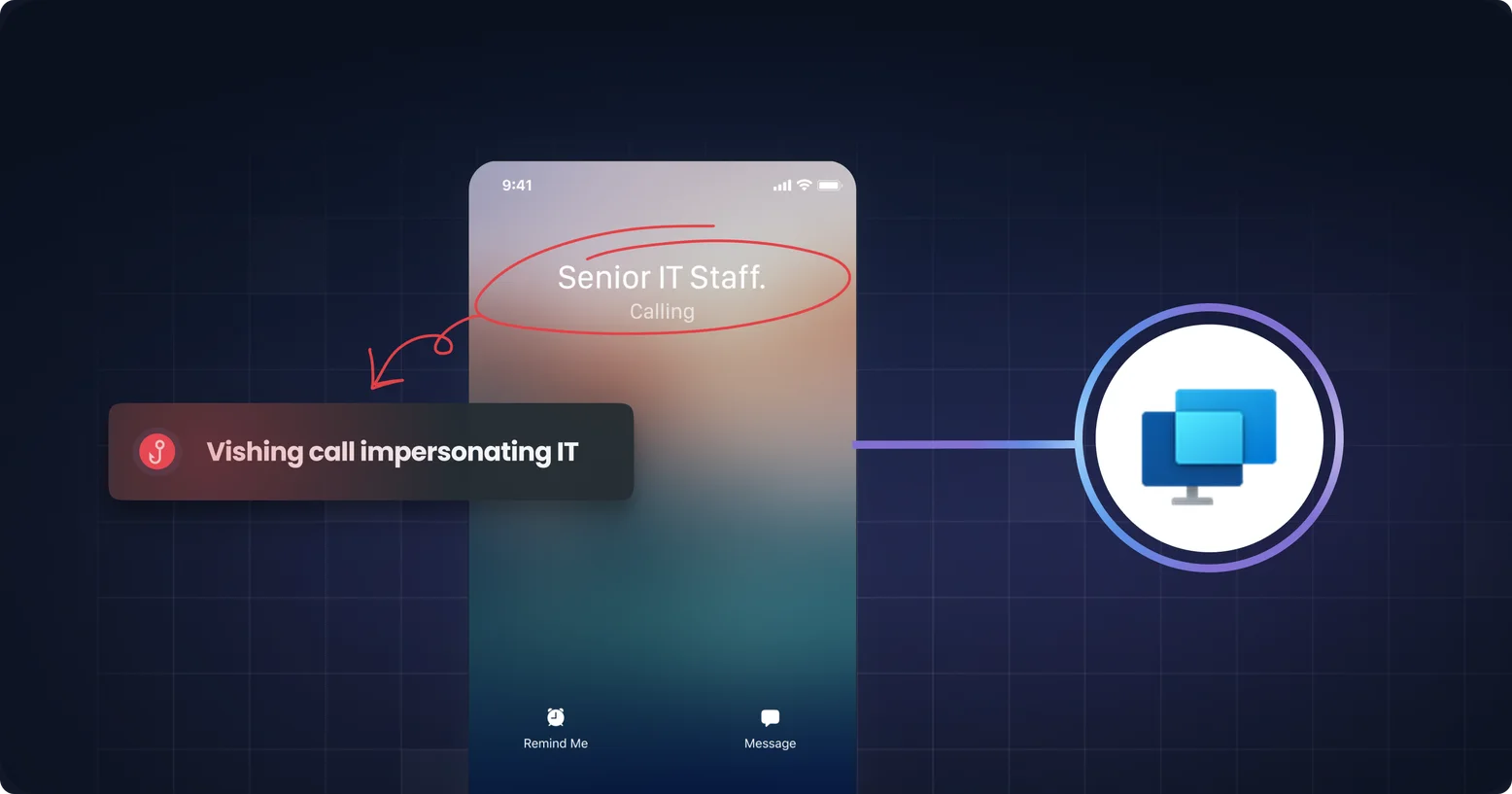
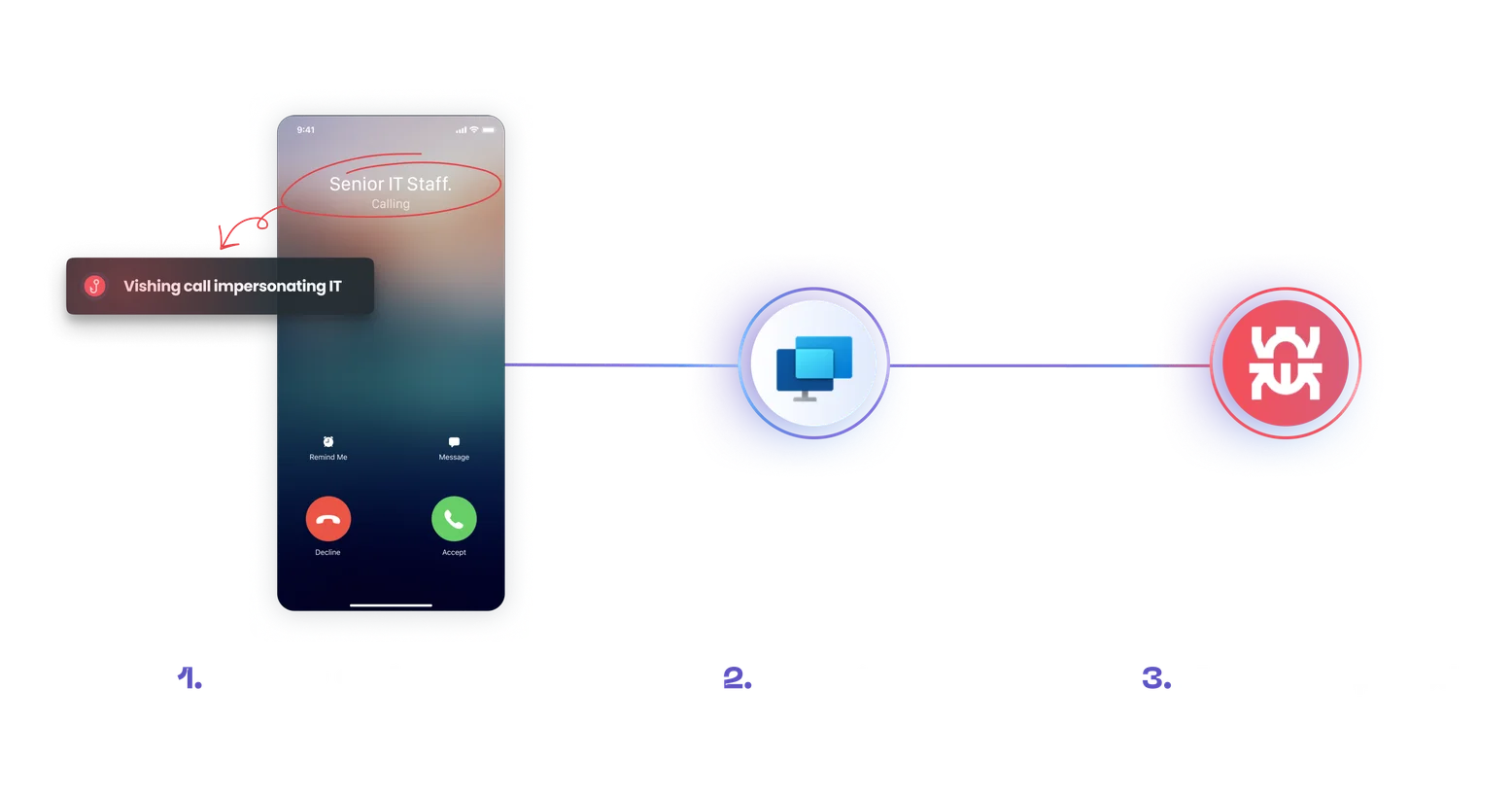
The attack sequence is initiated via a social engineering vector on Microsoft Teams. Threat actors spoof display names to impersonate "Senior IT Staff." When the call notification appears on the victim's screen, it looks like a legitimate call from internal support. This exploits the authority bias often seen in vishing attacks, where employees feel compelled to comply with "executives" or "IT" to resolve urgent issues.
The Pivot: Weaponizing Quick Assist
Once the call is established, the attacker uses the immediate pressure of voice communication to bypass critical thinking. They convince the victim to launch Windows Quick Assist, a native, trusted remote assistance tool found on Windows operating systems. Because the tool is legitimate, it does not trigger the same alarm bells as a request to download remote access software like TeamViewer or AnyDesk. The attacker gains remote access under the guise of providing technical support, effectively bypassing network-level security controls by piggybacking on authorized software.
The Technical Payload & IOCs
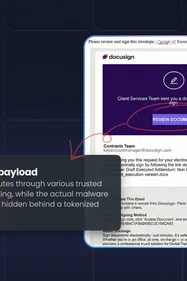
While the social engineering is the key enabler, the technical execution is equally stealthy. Approximately 10 minutes into the session, the user is redirected to a malicious page (ciscocyber[.]com) which deploys a trojanized executable (updater.exe). This file contains a .NET Core 8.0 wrapper that retrieves encryption keys from a C2 server (jysync[.]info) to execute fileless malware directly in memory. This "fileless" method avoids writing to the disk, allowing it to evade traditional endpoint detection systems.
- Domains to Block:
ciscocyber[.]com,jysync[.]info - Hashes (SHA256):
2d751f48376c777dd76090130740cfd04693b3da12d03e94e3e6514e864410fc,7d29bf061719dc442dc00f670768d7a52a70c029678bd67a07b17317ffbd8c69
2. The Awareness Gap: Why Traditional Training Fails
This SpiderLabs discovery proves that a siloed approach to awareness, treating phishing and vishing as separate problems, no longer works. Most organizations have robust phishing simulations, but very few test their employees against voice phishing, and attackers are exploiting this gap.
When an attacker combines a credible Teams profile with a confident voice, employees trained only to spot bad links in emails are defenseless. The "Quick Assist" attack relies on pressure and pace; unlike email, which allows time for reflection, a phone call demands an immediate response, reducing the victim's ability to spot red flags.
If your employees are not trained to verify the identity of an IT support caller before launching administrative tools, your technical defenses can be bypassed in minutes.
The gap is not hypothetical, and it is now measurable. Google attributes 23% of cloud compromises to voice phishing calls. CrowdStrike recorded a 134% increase in vishing intrusions between 2024 and 2025, with H1 2026 running at roughly double H2 2025. Mandiant lists vishing among the top initial infection vectors. Most awareness programs still test email only, which means the fastest-growing technique is also the least tested one.
The same pretext used here has produced sector-scale campaigns. In August 2026 a coordinated wave targeted hedge funds including Citadel, Two Sigma and Point72, and the earlier MGM and Marks & Spencer breaches began with the same help desk impersonation, covered in our vishing examples.
3. The Solution: Simulation Beyond the Script
To counter a human adversary who can improvise on a live call, static decision-tree simulations are insufficient. You need an awareness program that simulates the fluidity of a real attacker.
Generative AI Vishing
Arsen’s vishing simulator uses generative AI to craft dynamic, unscripted voice phishing calls that adapt in real time, mimicking the exact tactics used in the Quick Assist campaign.
- Realistic Impersonation: You can design custom scenarios where the AI impersonates IT support or executives, testing your team's reaction to internal authority.
- Adaptive Conversations: Unlike rigid scripts, our AI adapts to the employee's responses. If the employee asks for verification, the AI attempts to socially engineer around the request, providing a realistic training ground for handling pressure.
- Hybrid Campaign Testing: Attackers increasingly combine channels. Arsen allows you to simulate these hybrid attacks, such as sending a phishing email followed by a vishing call ("Callback phishing"), ensuring your team can spot threats that move across mediums.
Effective training requires measuring more than just pass/fail rates; it demands real-time visibility into how employees interact with threats. Arsen provides deep, actionable insights by monitoring employee responses to simulated vishing calls as they occur, allowing to track behavioral patterns, call outcomes, and risk levels from the organizational view down to the individual. These detailed reports gives CISOs the granular data needed to identify blind spots and strengthen security posture against sophisticated social engineering.
How to simulate this attack
The Quick Assist pretext is specific enough to run as a vishing simulation scenario. Build it around the same moves the attacker makes:
- The pretext: A caller presents as Senior IT Staff and describes an urgent issue that needs fixing now.
- The request: The caller asks the employee to launch Windows Quick Assist, then to open a page and run an "updater".
- The pushback: If the employee asks to verify the caller, the AI applies pressure and urgency, as a real attacker would.
- The measurement: Track who ends the call and dials the service desk on a number already in their records, who launches the tool, and who reports the call.
Start with the help desk and privileged users. They hold the access an attacker wants, and one agent who believes a caller is enough to open the door.
Conclusion
The weaponization of Microsoft Teams and Quick Assist is a stark reminder that trust is a vulnerability. Phishing simulations are necessary, but they are no longer sufficient to stop hybrid campaigns that utilize voice vectors and memory-based malware. Vishing defense should be on the priority list of any CISO.
CISOs should take immediate action:
- Block IOCs: Ingest the domains and hashes identified by SpiderLabs immediately.
- Update Policy: Enforce strict verification procedures for any remote assistance requests, even those appearing to come from internal IT via Teams.
- Expand Training: Incorporate AI-driven vishing simulations to build the "muscle memory" required to pause, verify, and report suspicious calls.
Frequently Asked Questions
-
An attacker impersonates internal IT staff over a Microsoft Teams call, then pressures the employee into launching Windows Quick Assist, Microsoft's native remote assistance tool. Because the tool is legitimate and pre-installed, it raises none of the alarms a request to install TeamViewer or AnyDesk would. The attacker then deploys fileless .NET malware that runs in memory.
-
Because it is signed, native and trusted. Network and endpoint controls treat it as authorized software, so the attacker inherits legitimate remote access without deploying anything a scanner would flag.
-
By ending the call and dialing the service desk on the number already in their records. An attacker can spoof a display name, clone a voice and hold a fluent conversation under pressure. They cannot answer the number you already hold. Make this policy rather than judgment, because judgment fails under time pressure.
-
Block the published IOCs, enforce verification for any remote assistance request including those arriving through Teams, and test the help desk and privileged users with realistic vishing simulations. The technical controls alone did not stop this attack at any of the organizations it reached.
Your help desk decides whether to trust a voice
Every control on this page can be bypassed by one agent who believes a caller. Test your service desk and privileged users against this exact pretext, and see who verifies before they launch anything. Learn how vishing simulation works, or try the free AI voice phishing playground.