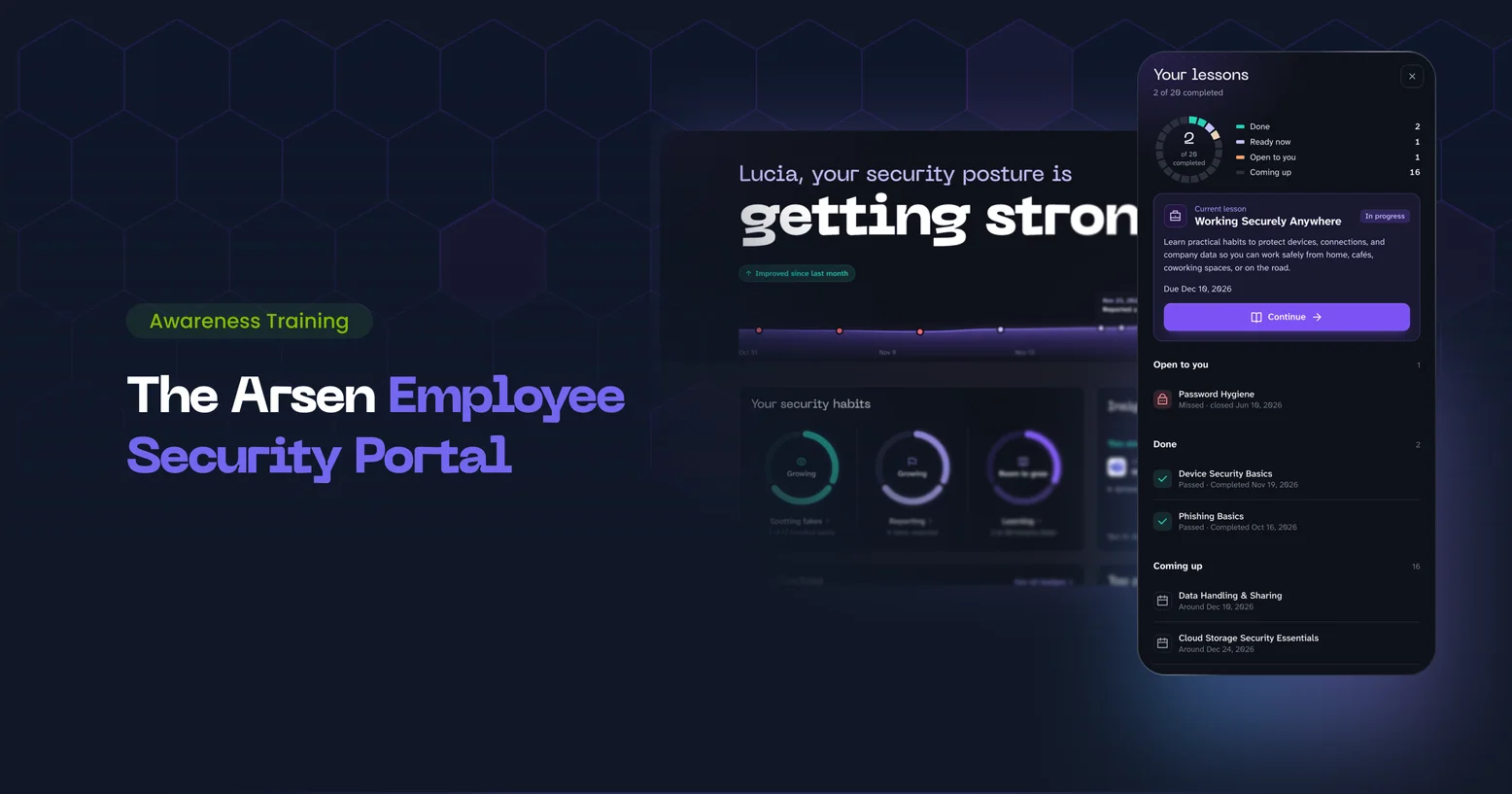
The Arsen employee portal gives every employee a personal dashboard of their security habits: where their security posture is heading, every practice test they received and what they did with it, how to report a suspicious message, their lessons and the badges they earned. Employees follow their own progress, which makes safe habits easier to keep.
What is positive reinforcement in security awareness?
Positive reinforcement makes the right behavior visible and rewarding, instead of only pointing out mistakes. Employees see when they reported a fake email, stayed safe on a suspicious call or finished a lesson, and they get a concrete next step when something needs work. Regular feedback on the behaviors that reduce risk, reporting and verifying first, turns them into habits that hold up when a real attack arrives.
How it works
Each employee has their own portal, under your organization's name and logo. Employees open it from the links in their lesson invitations.
The top of the page says where the employee's security posture is heading: getting stronger, holding steady or ready for a boost, with the change since last month. A trend line places each practice test and lesson on a timeline. With six months of history, employees can switch between the last month and the last six months.
Below, three habits sum up what the employee does: Spotting fakes, Reporting and Learning. Each one opens a panel with the detail. The page continues with Insights for you, Your badges and Top performers.
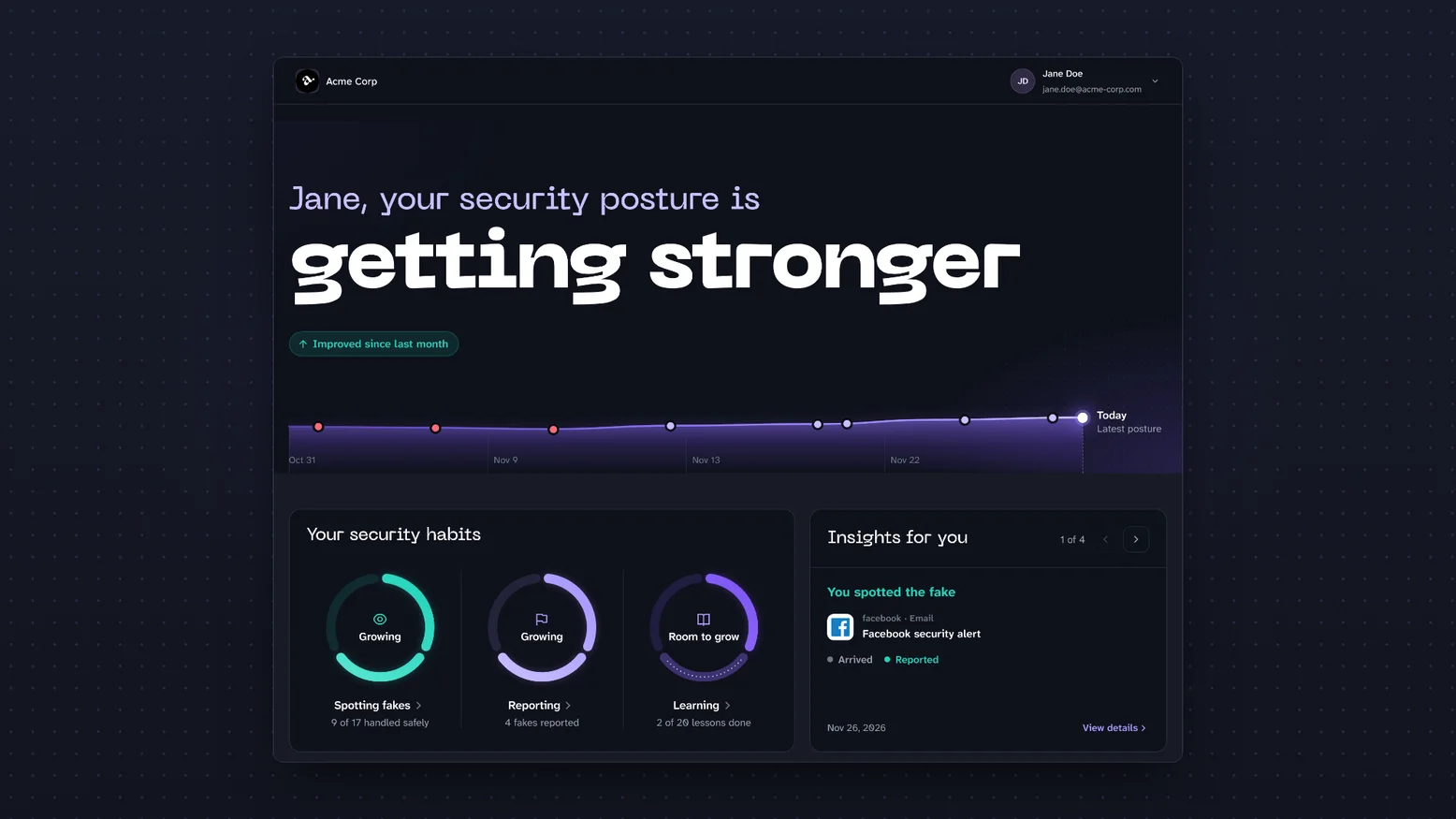
Jane's dashboard: her posture is getting stronger, each test and lesson sits on the trend line, and her three habits open the detail.
Practice tests and what employees did with them
Spotting fakes lists every practice test the employee received, by email or phone call, month by month. Each test shows its result: reported, no click or compromise, reported after interaction, or clicked or compromised. A summary counts the tests handled safely, and filters narrow the list by channel.
Employees can open any test to see what gave it away, which turns each result into a lesson rather than a verdict.
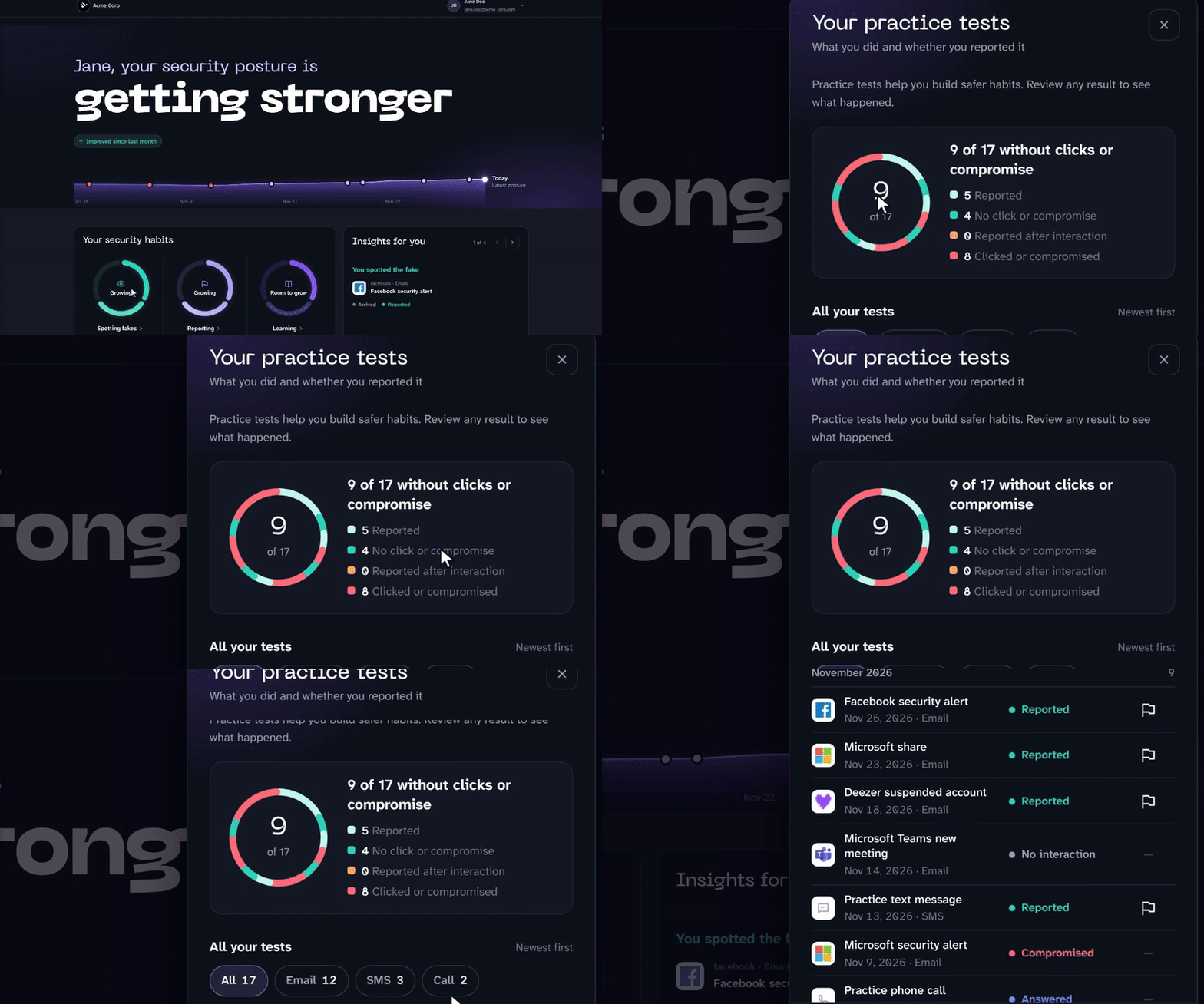
Opening Spotting fakes: the count of tests handled safely, the filters by channel, then the result of each practice test.
How to report, in Outlook or Gmail
Reporting shows how to report a suspicious message, step by step, with a picture of where the option sits in Outlook and in Gmail. A reminder tells employees they do not have to be certain: anything that feels off is worth reporting. The panel also lists the reports they made.
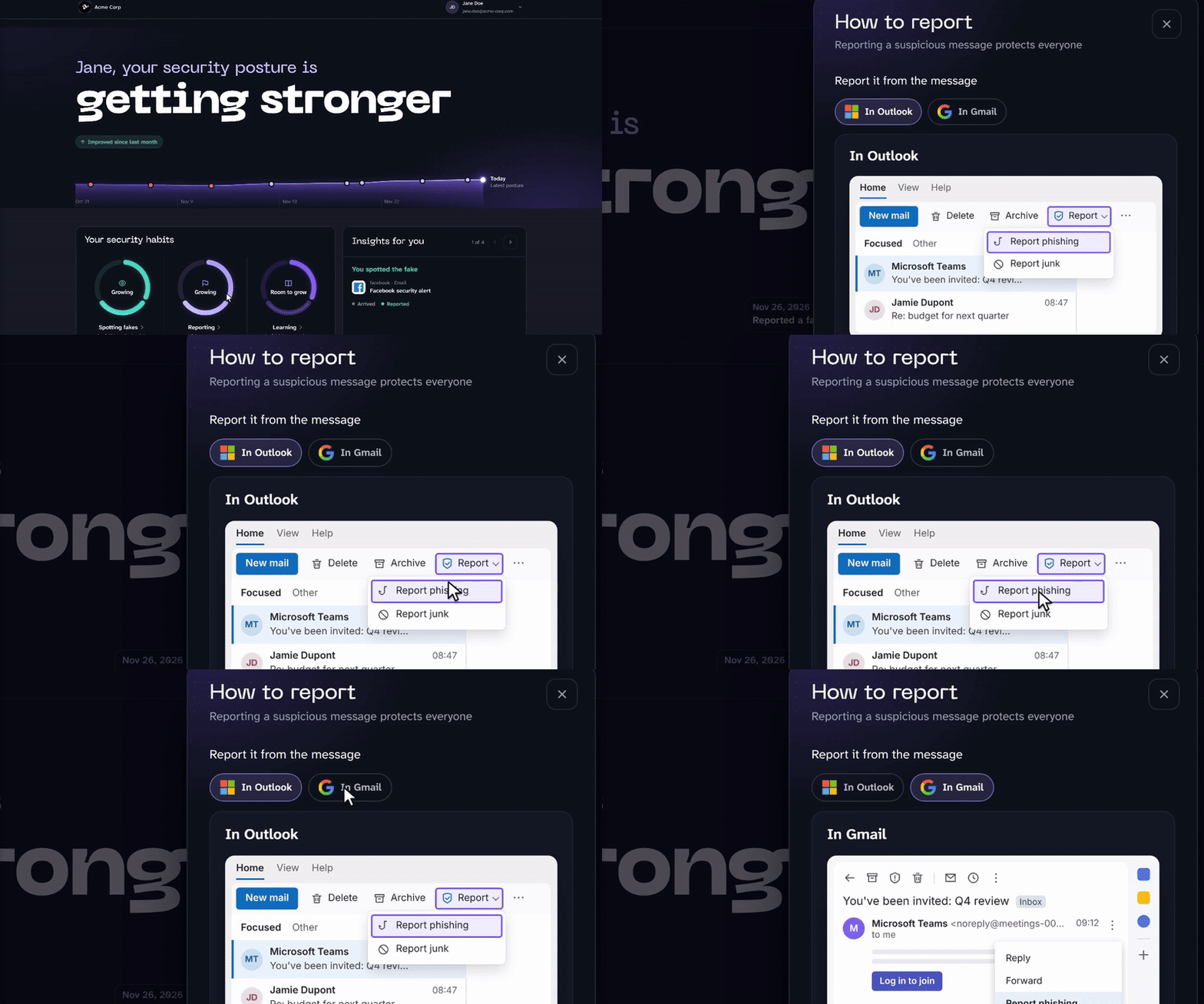
The Reporting panel shows the Outlook steps first, then the same steps in Gmail.
Lessons in one place
Learning gathers the employee's lessons: the lesson in progress with a button to continue, the lessons still open to them, the completed lessons to review, and the lessons coming up with their approximate dates. Lesson invitations keep arriving as usual. The portal is where employees find everything at once, in the interactive lesson format of Arsen awareness training.
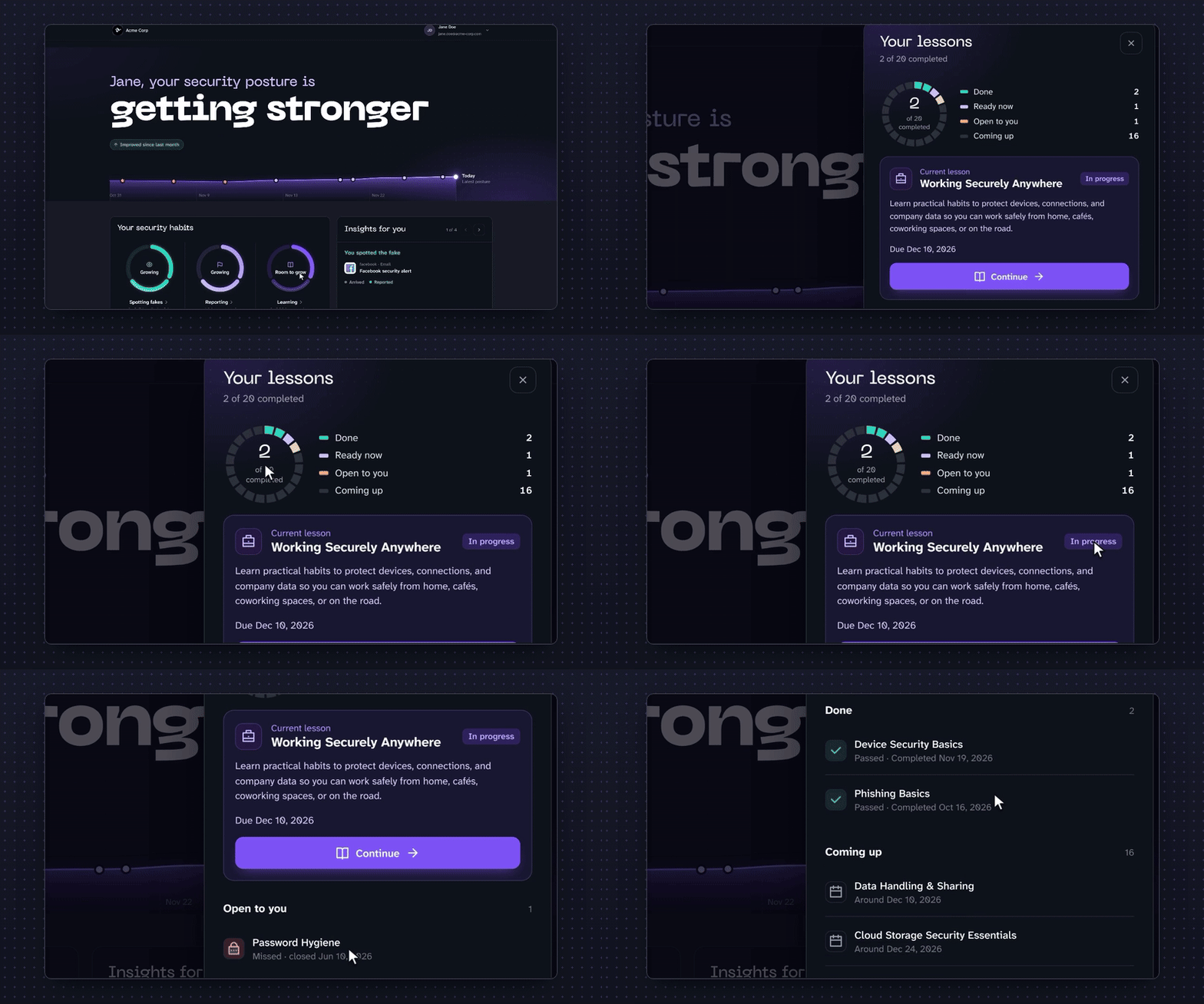
Learning opens the Your lessons panel: the current lesson with its due date, open lessons and completed lessons to review.
Insights on recent tests
Insights for you walks the employee through their latest tests, one card at a time: what they spotted, what they avoided, and what to review when information was shared. Each card shows the steps of the test, such as arrived, clicked or reported, and opens the details.
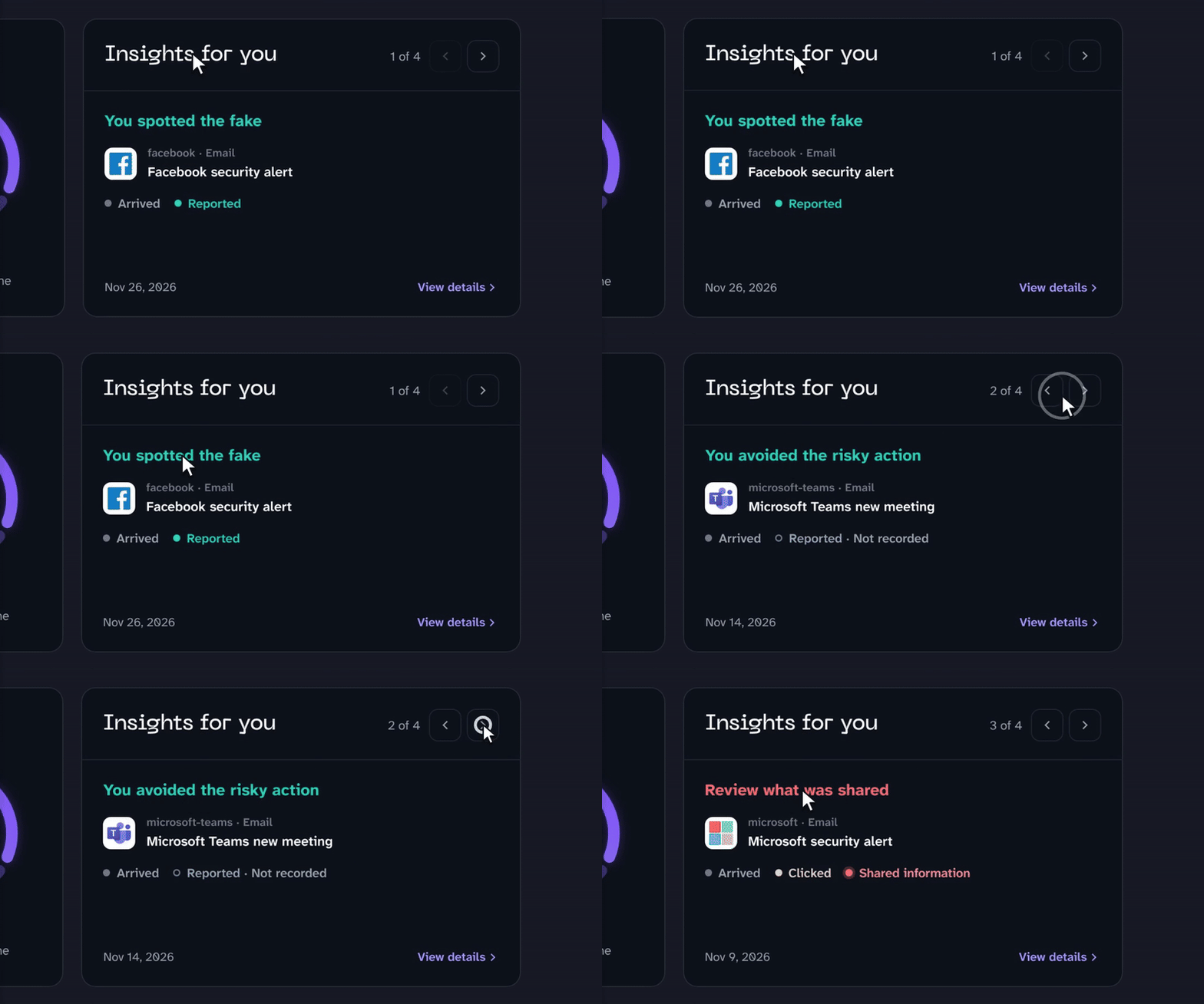
Going through the insights: a fake spotted and reported, a risky invitation avoided, then a test where information was shared.
Badges and top performers
Your badges shows the badges the employee earned, with their date, and the ones left to earn with the way to get them. Up to 17 badges are available, depending on the modules your organization uses. A badge stays earned once awarded.
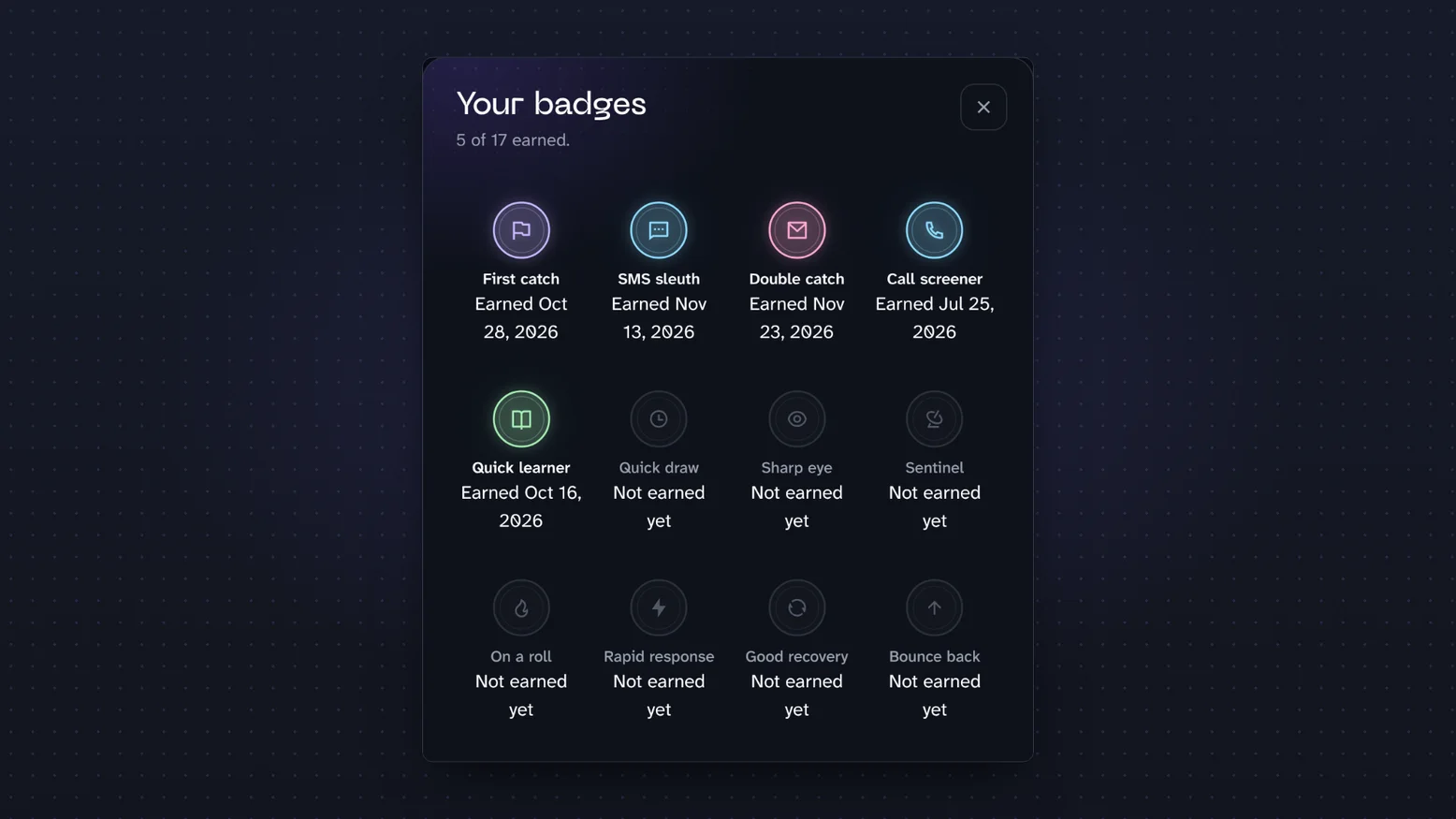
Earned badges show their date; the others show what it takes to earn them.
Top performers ranks colleagues on the suspicious messages they report this season. Employees see the leading places and their own rank, and How to climb lists what moves them up: report anything that feels off, complete their lessons and handle practice tests safely.
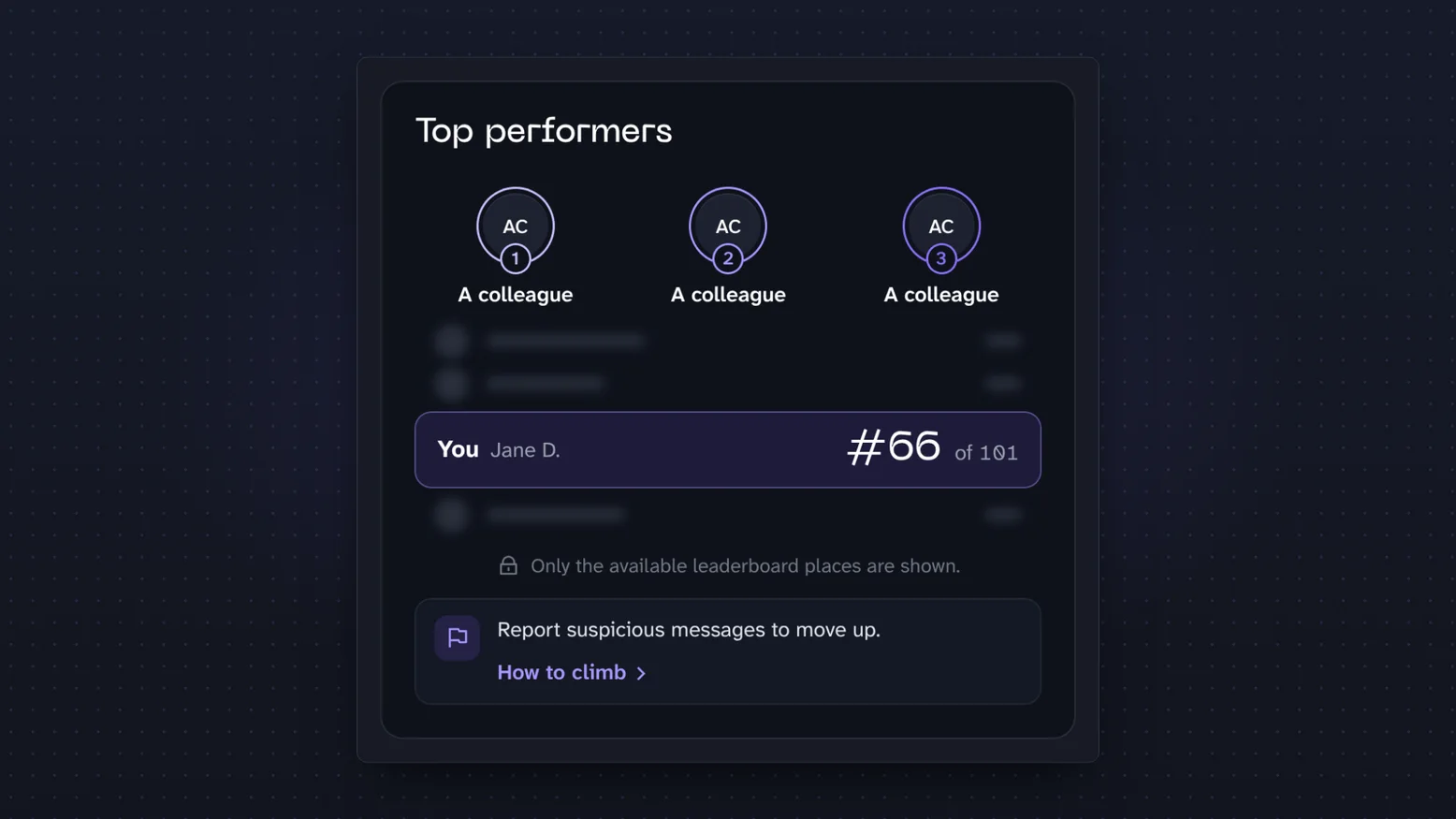
Top performers shows the leading places and the employee's own rank, with a tip to move up.
What each section shows
| Section | What employees see | Based on |
|---|---|---|
| Security posture | Where their posture is heading, the change since last month and the trend over time | Their practice tests, reports and lessons |
| Spotting fakes | Every practice test, its result and what gave it away | Phishing and vishing simulations |
| Reporting | How to report in Outlook or Gmail, and the reports they made | Simulated emails they reported |
| Learning | The lesson in progress, open lessons, completed lessons and what comes next | Awareness training lessons |
| Insights for you | Their latest tests, explained one by one | Recent practice tests |
| Your badges | Badges earned and how to earn the others | Reports, safe results and lessons |
| Top performers | The leading places and their own rank | Suspicious messages reported this season |
- Spotting fakes, Reporting and Insights for you show the employee's own results on practice tests.
- Learning and Your badges show their progress in the program. Each section points to a concrete next step.
Requirements
- Employees open the portal from the links in their lesson invitations. Nothing to install.
- The
Learninghabit, with its lessons panel, and theTop performerscard appear when awareness training is enabled for your organization. Badges follow the modules your organization uses. - The portal is available in English and French, on computer, tablet and phone.
Which badges can employees earn?
The table lists the badges tied to reporting, safe behavior and lessons, grouped by type, then in alphabetical order.
| Badge | How to earn it | Module |
|---|---|---|
| Reporting | ||
| Double catch | Report two fake emails in a row. | Phishing |
| First catch | Report your first fake email. | Phishing |
| On a roll | Report five fake emails in a row. | Phishing |
| Quick draw | Report a fake email within an hour of receiving it. | Phishing |
| Rapid response | Report three fake emails within an hour of receiving them. | Phishing |
| Sentinel | Report fifteen fake emails. | Phishing |
| Sharp eye | Report five fake emails. | Phishing |
| Safe behavior and recovery | ||
| Bounce back | After a slip, report your next three fake emails. | Phishing |
| Call screener | Stay safe on a fake call without sharing anything. | Vishing |
| Good recovery | Click or tap a test, then report it. | Phishing |
| Untouchable | Receive ten tests in a row without a click, tap or share. | Phishing or vishing |
| Learning | ||
| On time | Finish three lessons in a row before their due date. | Awareness training |
| Quick learner | Pass your first lesson. | Awareness training |
| Second wind | Redo and pass a lesson you missed. | Awareness training |
| Steady learner | Pass five lessons. | Awareness training |
Reporting badges reward the habit that protects everyone, so they make up most of the list. Recovery badges such as Good recovery and Bounce back give employees who slipped a clear way back, and learning badges need awareness training to be enabled.
-
The Arsen employee portal is each employee's personal dashboard. It shows their security posture and its trend, their practice tests and results, how to report a suspicious message, their lessons, insights on recent tests, their badges and their place among top performers.
-
No. Employees keep receiving their lessons as before. The portal gathers the lesson in progress, the lessons still open and the ones coming up, in one place.
-
No. Top performers ranks colleagues on the suspicious messages they report this season. Lessons and safe results on practice tests show in the employee's security posture and badges.
-
Nothing specific. The portal is part of Arsen. Learning and Top performers appear when awareness training is enabled, and badges follow the modules your organization uses.