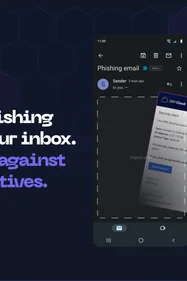
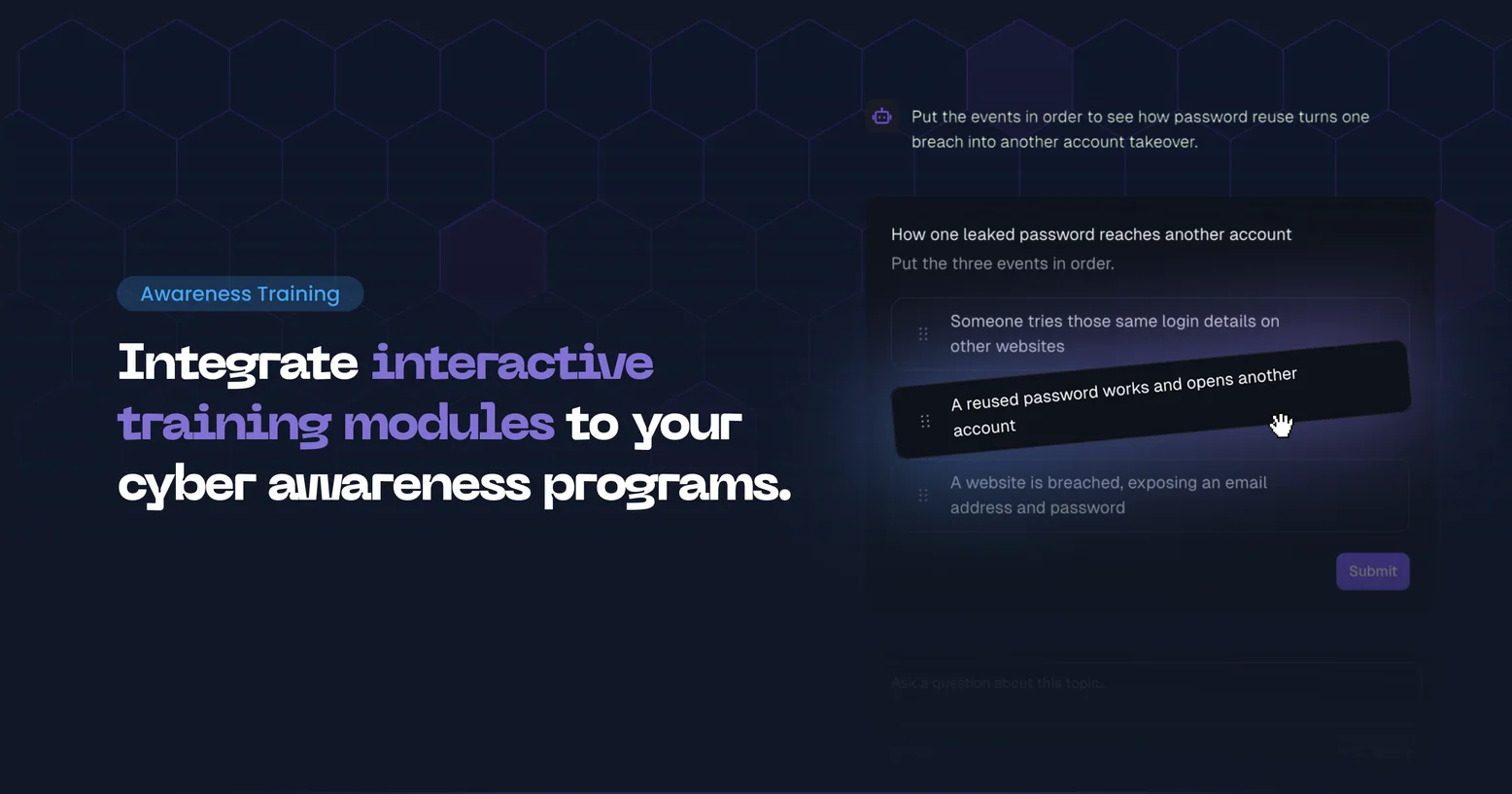
Arsen built-in awareness lessons put employees into realistic situations instead of a page of text followed by a single-choice question. Learners inspect a suspicious email, reply to an attacker's text messages, take a fraudulent phone call or rebuild an incident procedure, so the secure behavior is practised before it is needed.
What is interactive security awareness training?
Interactive security awareness training asks employees to perform the secure behavior rather than read about it. Instead of reading a lesson and picking one answer, the learner spots the clues in a phishing email, decides whether a statement is true or false, puts the steps of a response in order, or handles a pretext call or text message. Practising the decision in a realistic setting makes it easier to repeat under pressure, when a real attacker plays on urgency, authority or fear.
How it works
Each built-in lesson follows three stages. It first checks what the learner already understands, then asks them to practise the expected behavior in a realistic workplace scenario, and ends by having them apply it to their own work before a short debrief reinforces the key point.
The interactive components sit inside that flow, between explanations, and replace the sequence of single-choice questions the lessons relied on. Content depth follows the familiarity level the learner selects at the start of the lesson: more explanation and guidance for beginners, practical decisions for intermediate learners, and concise content that sharpens existing knowledge for familiar learners. The introduction and the difficulty question of each lesson stay the same.
Scoring is unchanged. The multiple-choice questions remain the basis of the lesson score and the interactive components do not count toward it, so completion and score statistics in training reports keep the same meaning.
The interactive components run in the Arsen platform. Lessons delivered in Microsoft Teams keep the standard multiple-choice format, and no interactive version is planned for Microsoft Teams or Slack.
This work continues the redesign of Arsen's cyber awareness training platform. Interactive components are extended lesson by lesson, based on customer feedback.
Standard and interactive lessons compared
| Standard lesson | Interactive lesson | |
|---|---|---|
| Where it runs | Microsoft Teams | Arsen platform |
| Learner activity | Reading, then single-choice questions | Inspecting, swiping, ordering, replying to texts, taking calls |
| Lesson flow | Explanation, then questions | Diagnose, practise, apply and debrief |
| Scoring | Multiple-choice questions | Multiple-choice questions. Interactive steps are not scored |
- A standard lesson checks whether the employee recognizes the right answer among a few options.
- An interactive lesson checks whether the employee applies it: finding the clue, refusing the request, taking the steps in the right order. That is the behavior a real attacker tests.
Requirements
- No setup. Built-in Arsen lessons are updated for every customer and keep their identifiers, so training programs already in place deliver the interactive version without any change.
- Learners follow their lessons in the Arsen platform. In Microsoft Teams and Slack, lessons keep the standard multiple-choice format.
- Lesson scores and training reports work as before. Interactive steps are not part of the score.
Interactive components in Arsen lessons
Inspection exercises and true or false cards
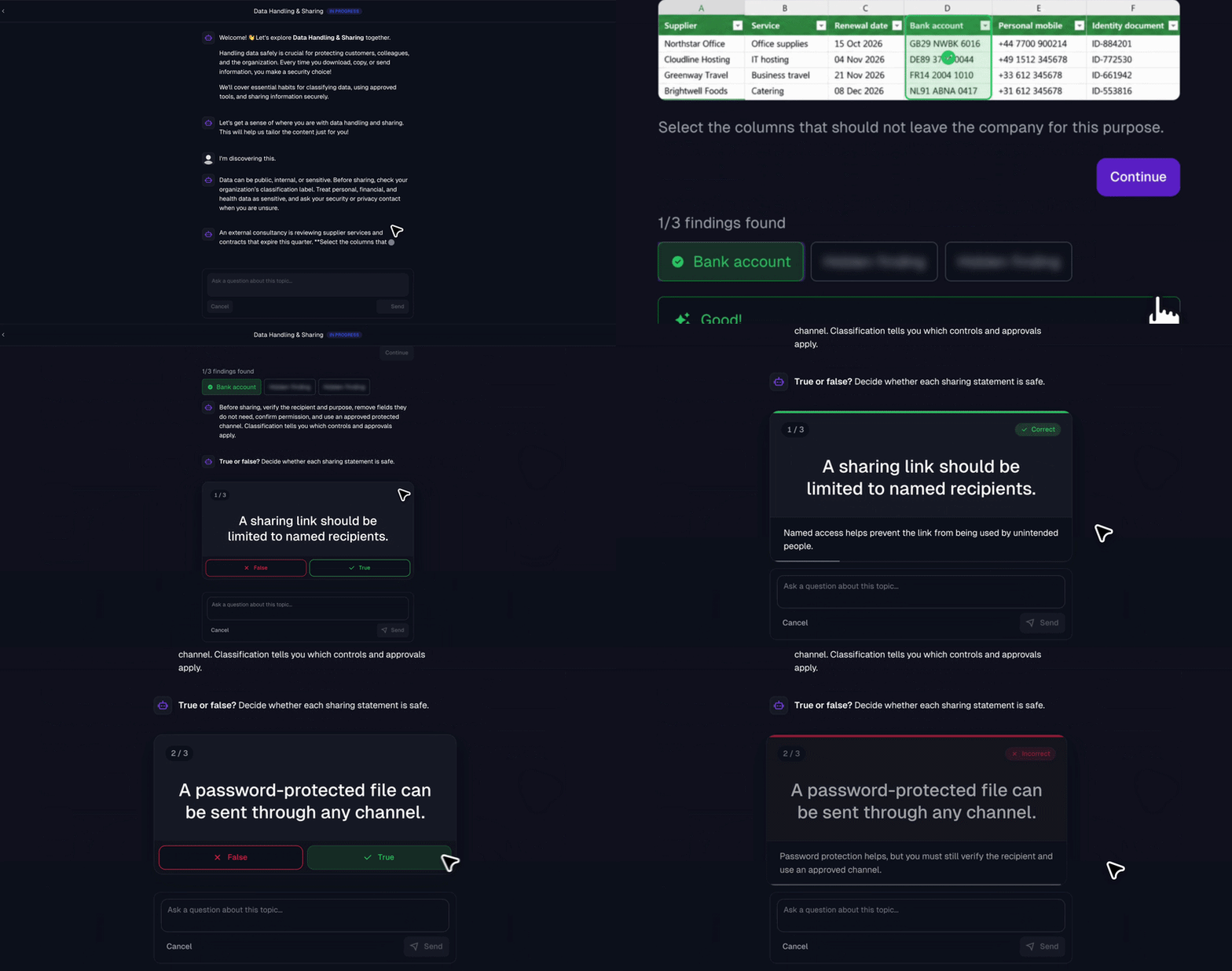
Inspection exercises display a realistic screen with clickable areas: some hold the clue to find, others are decoys. In Business Email Compromise and Spear Phishing, the learner inspects an email in an Outlook view and selects what gives the attack away, such as the sender domain or a request built on urgency. In OAuth Permission Abuse, the learner reviews a Microsoft consent screen for a meeting scheduling app and selects the permissions it has no reason to request, such as reading and writing the mailbox. In Data Handling & Sharing, the learner picks the spreadsheet columns that should not be shared with a partner.
True or false cards are short series of three or four statements on one topic. Learners swipe left or right on mobile, or select true or false on a computer.
SMS conversation
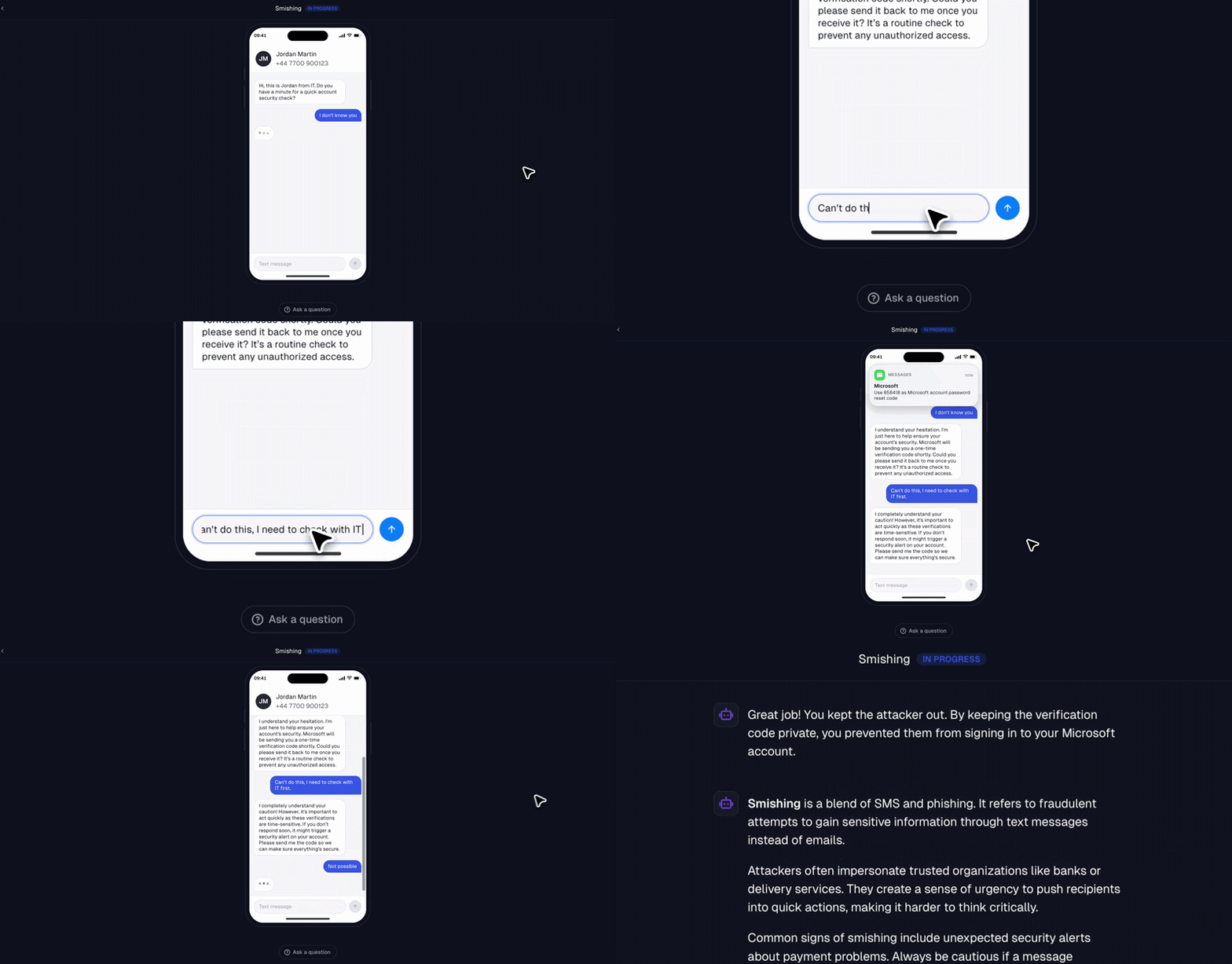
In the Smishing lesson, the learner receives a text message from someone posing as IT support who asks for a Microsoft verification code. The learner replies in the conversation and the scenario adapts to the answers, showing how an attacker uses the code to sign in in the employee's place.
Phone calls
Phone call exercises ring a simulated phone and play a voice conversation. The Vishing lesson reproduces an IT support call that comes with a code notification. The Deepfakes lesson plays a multi-turn call with a cloned executive voice, so employees hear what a voice deepfake sounds like. The Social Engineering Psychology lesson uses a call to show pressure built on authority and urgency.
The Vishing lesson: an IT support call that comes with a code notification.
Ordering and ranking
Drag-and-drop exercises give a list of statements to reorder. Learners rebuild a procedure in the right order, for example the response to a patient data breach in HIPAA Patient Data or to an exposed secret in Secrets in Code Repositories, or rank situations by risk, as in Cloud Storage Security Essentials and SaaS Access Risks.
Breach check and password strength
The Credential Compromise and Password Hygiene lessons include two dedicated components. The breach check shows whether the learner's email address appears in known data breaches and, when it does, lists the actions to take: change reused passwords, turn on MFA for main accounts and alert the company. The password strength tester estimates how long an automated attack would take to crack a password and compares complex passwords with passphrases. The test runs locally and the password is not sent anywhere.
Which lessons use which interaction?
The table lists the built-in lessons, grouped by the interaction each one uses.
| Lesson | Interaction | What the learner practises |
|---|---|---|
| OAuth Permission Abuse | Consent screen inspection | Spotting excessive permissions on a Microsoft consent screen |
| Business Email Compromise | Email inspection | Inspecting an Outlook email for the suspicious clues of a supplier IBAN change |
| Spear Phishing | Email inspection | Spotting a targeted project login request in Outlook |
| Phishing Basics | Email inspection, true or false cards | Spotting a payroll phishing email |
| Data Handling & Sharing | Spreadsheet inspection, true or false cards | Minimizing data and sharing it safely |
| Device Security Basics | True or false cards | Encryption, USB drives and device security |
| GDPR and Personal Data | True or false cards | Judging decisions about personal data |
| Insider Risk | True or false cards | Identifying insider risk signals |
| Internal Chat Impersonation | True or false cards | Verifying requests in a trusted internal chat |
| PCI DSS Basics | True or false cards | Payment support decisions that keep card data safe |
| Preventing AI Data Leakage | True or false cards | Deciding what is safe to share with AI tools |
| QR Phishing | True or false cards | Choosing the right reflexes with QR codes |
| Strong Security Culture | True or false cards | Responding to incidents without blame |
| API Keys and Tokens | True or false cards, ordering | Handling API secrets and responding to an exposed key |
| Smishing | SMS conversation | Handling a text message that asks for a Microsoft verification code |
| Deepfakes | Phone call | Handling a multi-turn call from a cloned executive voice |
| Social Engineering Psychology | Phone call | Resisting authority and urgency pressure |
| Vishing | Phone call | Handling an IT support call that comes with a code notification |
| Secrets in Code Repositories | Ordering | Responding to an exposed secret |
| Supply Chain Attacks | Ordering | Responding to a compromised supplier update |
| Working Securely Anywhere | Ordering | Working safely in remote environments |
| Cloud Storage Security Essentials | Ranking | Ranking cloud sharing options from safest to riskiest |
| HIPAA Patient Data | Ranking | Putting the steps of a patient data breach response in the right order |
| Incident Reporting | Ranking | Putting the steps to report and contain an incident in the right order |
| SaaS Access Risks | Ranking | Ranking SaaS access situations by risk |
| Credential Compromise | Breach check, password strength | Checking exposure and choosing safer passwords |
| Password Hygiene | Breach check, password strength, ordering | Avoiding password reuse |
Every employee enrolled in an Arsen training program receives these lessons at the program cadence, with no change to how programs are built or assigned. The conversation and call lessons, Smishing, Vishing, Deepfakes and Social Engineering Psychology, are the closest to what employees face in a real attack, where the pretext arrives by phone or text rather than by email.
-
They are the built-in Arsen training lessons, structured so that employees practise the secure behavior in realistic situations: inspecting emails and screens, swiping true or false cards, ordering response steps, replying to an attacker's text messages and taking pretext phone calls.
-
No. The multiple-choice questions remain the basis of the score. Interactive steps are not scored, so completion and score statistics keep the same meaning in training reports.
-
No. The interactive components run in the Arsen platform only. Lessons delivered in Microsoft Teams keep the standard multiple-choice format, and no interactive version is planned for Microsoft Teams or Slack.
-
Nothing. The built-in lessons are updated for every customer and keep their identifiers, so existing training programs deliver the interactive version automatically.