Arsen MCP brings security awareness into the AI assistant your team already uses. You ask about phishing results and priorities, then launch the next campaign or awareness program from the same conversation, after approval.
Key takeaways
- Arsen MCP connects Claude, ChatGPT and other AI assistants to Arsen, in read and write.
- Results, scores, coverage and priorities come back in plain language, at group level.
- Campaigns and awareness programs are prepared in the conversation and launch only after approval.
- Human risk sits next to identity, ticketing and SIEM data in the same answer.
- Access follows each user's Arsen rights, and each assistant is disconnected from its own connector settings.
What is Arsen MCP?
Arsen MCP is a Model Context Protocol (MCP) server that connects AI assistants to Arsen. It lets your assistant check phishing simulation and training results, and launch campaigns and awareness programs after approval, within the organizations you can access.
MCP is an open standard that lets an AI assistant use tools from other software. In practice, Arsen stays the engine that builds, sends and measures simulations and training. The assistant becomes the interface where you ask and decide.
Why bring security awareness into an AI assistant?
Security awareness programs take time to operate and to report on. Campaigns are planned in one tool, results are exported for the board, and the data sits apart from the rest of the security stack. Arsen MCP moves that work into the conversation where your team already drafts, summarizes and analyzes.
The shift is from dashboard to dialogue. Instead of logging in to find a figure, you ask for it. Instead of rebuilding a campaign by hand after a debrief, you describe the follow-up you need and approve the plan.
What does a conversation with Arsen MCP look like?
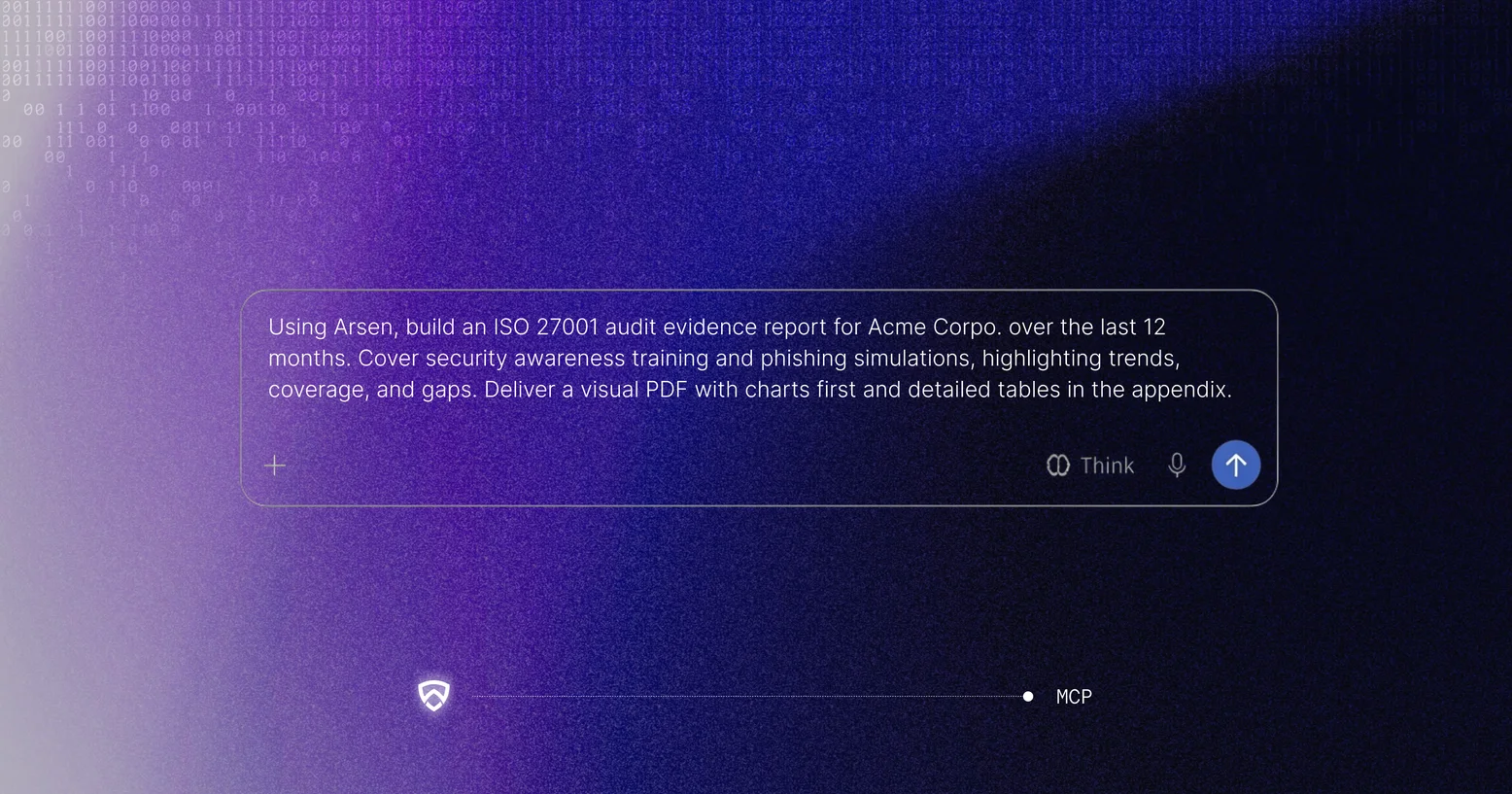
A typical exchange goes from a question to a decision in a few messages. The example below is illustrative.
Nothing runs until you approve or edit the plan. The results of the follow-up come back in the same conversation.
Who benefits from Arsen MCP, and how?
Arsen MCP serves three profiles differently: leaders who need figures and decisions, teams who run and prove the program, and partners who manage several clients.
CISOs and management: report on human risk and act in minutes
- Get the board summary in one question: rates, score trend and priorities on one page.
- See whether human risk is going down and which teams to focus on next.
- Launch an audit-ready campaign in one message, and read the report in the same conversation.
IT, GRC and awareness teams: run and prove the program without leaving the chat
- Have audit figures ready when asked: coverage of active employees and every campaign with dates, audience and results.
- Launch the follow-up campaign from the chat: the assistant proposes scenario and targets, you approve.
- Plan the quarter in one request, with one campaign a month and rising difficulty, scheduled after approval.
MSPs and MSSPs: run every client from one conversation
- Compare click, compromise and report rates across all your clients side by side.
- Spot the clients who stopped testing, and relaunch them in the same message.
- Plug Arsen into your own agents and tools through MCP, without an API integration to build or maintain.
How does Arsen MCP work with the rest of your security stack?
Your assistant can use several MCP servers in the same conversation, so Arsen results can be read next to identity, ticketing, SIEM or HR data. One question can compare the groups with the lowest phishing scores in Arsen with the accounts that still lack MFA in Microsoft Entra, then schedule a targeted campaign for those teams once you approve.
For the servers security teams connect most often, from SOC to identity, see our guide to the top cybersecurity MCP servers by team function.
How does Arsen MCP keep control in your hands?
Arsen MCP follows the same rules as the Arsen platform. Each request is checked against the user's current rights, and no campaign or program launches without approval.
- Sign-in with your Arsen account, SSO and MFA included.
- Access limited to the organizations each user can access in Arsen.
- Answers at group level, without employee names. Email content and captured data are never returned.
- Approval before any campaign or awareness program launches.
- Access removed by disconnecting the Arsen connector in the assistant's settings.
The answers Arsen returns pass through the assistant you use, under your agreement with its provider. For sensitive environments, use your company's approved assistant or an enterprise plan.
Where is security awareness going next?
Security awareness is moving beyond SaaS: the setup screens, manual reporting and dashboards waiting for a login give way to an experience where the work comes to the team. Arsen does the work, and the security team decides.
How do you start with Arsen MCP?
Arsen customers connect from the MCP section of their Arsen account settings. Claude connects in one click, and other assistants that support remote MCP servers with sign-in connect with the server URL. The step-by-step guide on how to use Arsen MCP covers each method and the first prompts to try.
If you are not an Arsen customer yet, the Arsen MCP page lets you book a demo on your own scenarios.
Frequently asked questions about Arsen MCP
-
Arsen MCP connects your AI assistant to Arsen. It reads phishing simulation and training results, scores and coverage, and prepares campaigns and awareness programs that launch after your approval, within the organizations you can access.
-
Claude connects in one click from your Arsen settings. ChatGPT and other assistants that support remote MCP servers with sign-in can connect with the Arsen server URL.
-
No. The assistant shows the plan first, with groups, scenario, difficulty and date. Nothing runs until you approve it, and you can edit the plan before approving.
-
Yes. A partner can compare all the client organizations it manages in one conversation and prepare the same campaign for several clients, each launch subject to approval.
-
Yes. Arsen MCP works with your Arsen account and your own data. If you are not a customer yet, book a demo and the Arsen team will show it on your own scenarios.